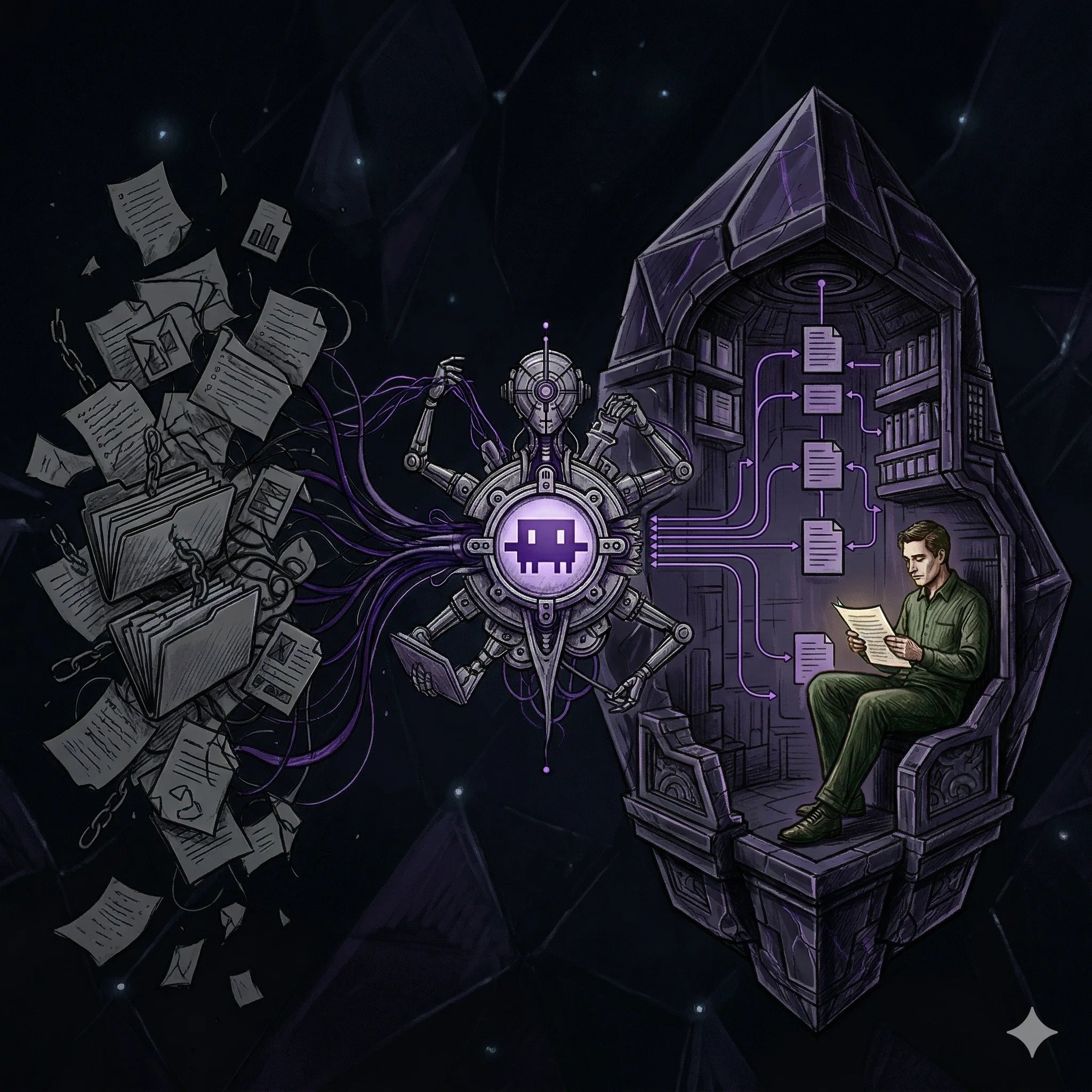
Most people use AI to answer questions. I use it to maintain a library: a personal knowledge base in Obsidian where Claude Code acts as the librarian and everything compounds over time.
I have always loved Obsidian as a PKM tool. The plugin ecosystem is excellent, the vault is just files so it stays exportable, and there is a ridiculous amount of automation you can build around it. That part was never the problem. The nightmare starts later, when the vault grows and you are left cleaning up hundreds of files, fixing links, and trying to keep structure and meaning aligned over time.
That is the real tension in personal knowledge management. The value is not in hoarding notes. It lives in the associations you make between concepts and in the answers you write back when something finally clicks. The mechanical part, the cleanup, the maintenance, the endless small edits, gets in the way of the learning.
This workflow removes most of that burden. The RAG-like retrieval and LLM wiki maintenance handle the file work, the linking, and the ongoing structure, so the part left to me is the part I actually care about: reading, understanding, and making better connections.
It started with a gist from Andrej Karpathy: a short document describing a pattern he called the "LLM wiki." Not a product. Not a tutorial. Just an idea. The right idea, as it turned out. I've been building on it ever since.
I also took practical reference from the Chase AI setup guide, which helped turn the pattern into something concrete faster.
Why This Is a Better RAG Alternative Than You'd Expect
When most people talk about "using AI with your notes," they mean RAG: upload your files, retrieve relevant chunks at query time, get an answer. It works. But nothing accumulates. Ask the same question twice and the AI rediscovers the same fragments from scratch. There's no memory of what you've already figured out.
Karpathy's insight is simple: what if the LLM built a persistent wiki instead of just retrieving from raw sources?
When a new source arrives, the LLM doesn't index it for later retrieval. It reads it, extracts the key information, and folds it into the existing wiki: updating relevant pages, flagging contradictions, and strengthening cross-references. The synthesis happens once and stays current.
The wiki compounds. Every source you add makes it richer. Every question you ask can be filed back as a new article. The next question is cheaper to answer than the last one.
My Obsidian PKM Setup: Claude Code as the Librarian
The tool combination is simpler than it sounds: Obsidian as the IDE, Claude Code as the programmer, the wiki as the codebase.
Folder Structure
vault/
  raw/              ← inbox — dump anything here
  wiki/             ← LLM's domain — never edit directly
    _master-index.md
    terminal/
      _index.md
      terminal-emulators-2025.md
      linux-power-commands.md
    knowledge-management/
      _index.md
      llm-wiki-karpathy.md
      obsidian-rag-setup.md
  output/           ← query results and generated reports
  CLAUDE.md         ← the schema
The Schema (CLAUDE.md)
This is the most important file. It's what makes Claude Code a disciplined librarian instead of a generic chatbot. Every session starts with Claude Code reading it.
The rules it defines:
wiki/is the LLM's domain. It writes and maintains everything there.raw/is the inbox. "Compile" means process everything unprocessed.- Every article needs a
## Key Takeawayssection and[[wiki links]]. - Navigation follows a hierarchy:
_master-index.md→ topic_index.md→ article. - Query answers worth keeping get filed back as new wiki articles.
This is the actual CLAUDE.md I keep in the root of my vault:
## Knowledge Base Rules

- This is an LLM-maintained knowledge base. You are the librarian.
- The wiki/ folder is YOUR domain — you write and maintain everything in it.
  I rarely edit wiki files directly.
- raw/ is the inbox. When I dump files here, you process them into the wiki
  during a "compile" step.
- wiki/_master-index.md is the entry point. It lists every topic folder with
  a one-line description. Always keep this up to date.
- Each topic gets its own subfolder in wiki/ (e.g., wiki/ai-agents/) with its
  own _index.md that lists all articles in that topic with brief descriptions.
- Always use [[wiki links]] to connect related concepts across topics.
- When compiling raw material:
  1. Read the raw file
  2. Decide which topic it belongs to (or create a new one)
  3. Write a wiki article with key takeaways and relevant links
  4. Update that topic's _index.md
  5. Update wiki/_master-index.md
  6. If a raw file spans multiple topics, create articles in both and cross-link
- Keep articles concise — bullet points over paragraphs.
- Include a ## Key Takeaways section in every wiki article.
- output/ is for query results and generated reports.
- When answering questions, read _master-index.md first to navigate, then
  drill into the relevant topic _index.md, then read specific articles.
- When I ask you to "compile", process everything in raw/ that hasn't been
  compiled yet into the wiki.
- When I ask you to "audit" or "lint", review the wiki for inconsistencies,
  broken links, gaps, and suggest improvements.
I also used the initial scaffolding prompt suggested in the setup guide that now lives in my vault. It is intentionally simple:
Create this folder structure for my knowledge base:

- raw/ — this is my inbox where I'll dump source material
- wiki/ — this is your domain, you'll write and maintain everything here
  - Create a _master-index.md inside wiki/ with the heading "Knowledge Base Index"
    and a note that says "Topics will be listed here as they are created."
- output/ — this is where query results and reports go

Just create the folders and that one file. Nothing else yet.
That prompt is small on purpose. It does not try to overdesign the system on day one. It just creates the minimum viable structure, then CLAUDE.md takes over as the real operating manual.
The first real compile prompt is just as important, because this is what turns a pile of clipped files into an actual knowledge base:
Compile everything in raw/ into the wiki. For each file:
1. Read it and identify the core topic
2. Create or find the right topic folder in wiki/
3. Write a wiki article with a summary, key takeaways, and [[wiki links]]
   to any related concepts
4. Update the topic's _index.md
5. Update wiki/_master-index.md

Cross-link between topics wherever relevant.
And this is the audit prompt I use to keep the vault healthy over time:
Audit the wiki. Review every topic for:
- Inconsistent or contradictory information across articles
- Missing cross-links between related concepts
- Gaps in coverage — topics that are mentioned but don't have articles yet
- Suggest 3-5 new articles that would strengthen the knowledge base

Don't make changes yet — just give me the report.
The Daily Workflow
Diagram: The daily Obsidian PKM workflow showing Clip, Compile, Query, and Audit as a continuous loop.
flowchart TD
    A["Clip<br/>save source into raw/"] --> B["Compile<br/>create or update wiki articles"]
    B --> C["Index<br/>refresh topic index files"]
    C --> D["Query<br/>read indexes then articles"]
    D --> E["Save<br/>promote strong answers"]
    E --> F["Audit<br/>find gaps and broken links"]
    F --> A

    style A fill:#ede9fe,stroke:#6D28D9,color:#000
    style B fill:#ede9fe,stroke:#6D28D9,color:#000
    style C fill:#f5f3ff,stroke:#7C3AED,color:#000
    style D fill:#dcfce7,stroke:#15803D,color:#000
    style E fill:#eff6ff,stroke:#2563EB,color:#000
    style F fill:#f8fafc,stroke:#475569,color:#000
Four verbs. That's the whole system.
Clip: I use the Obsidian Web Clipper browser extension. One click saves any article as clean markdown in raw/. It strips ads and keeps the structure intact.
Compile: I open Claude Code and say "compile." It reads each unprocessed raw file, decides which topic it belongs to or whether a new topic is needed, writes a wiki article with key takeaways and cross-links, then updates the topic index and master index. A single source often touches 10 to 15 wiki pages.
Query: The LLM navigates via the index hierarchy: master index → topic index → specific articles. Three or four reads usually gets it to the answer. It doesn't need to read everything. If the synthesis is worth keeping, I say "save this as a wiki article" and it does.
Audit: Periodically I ask Claude Code to audit the wiki. It looks for contradictions between articles, orphan pages with no incoming links, concepts mentioned but lacking their own article, and missing cross-references. It suggests improvements. Quality improves over time instead of just accumulating.
Why It Works Without a Vector Database
The index hierarchy is the key. At personal scale, up to a few hundred articles, _master-index.md gives the LLM a complete map of the knowledge base in one read. It picks the right topic, reads the topic index, then reads the specific article. Three reads, any question.
Humans abandon wikis because maintenance burden grows faster than value. The LLM doesn't get bored, doesn't forget to update a cross-reference, and can touch 15 files in one pass. Maintenance cost gets close to zero. The wiki stays current.
Adding Local Search to Your Personal Knowledge Base with qmd
The index-file approach works well up to a few hundred articles. As the wiki grows, you want faster lookup, especially when you're not sure which topic something falls under.
qmd is a local on-device search engine for markdown files. It combines BM25 keyword search with vector semantic search and LLM re-ranking, all running locally. No cloud, no API cost for search.
Diagram: How qmd fits into the personal knowledge base, with the LLM shelling out to the qmd CLI for local search before reading wiki files.
sequenceDiagram
    participant L as Claude Code
    participant Q as qmd CLI
    participant W as Wiki Folder
    participant R as Results

    L->>Q: qmd search "query" via Bash
    Q->>W: searches markdown files
    W-->>Q: matching documents
    Q-->>L: ranked results + context

    Note over Q: BM25 keyword + local search, no API cost
    Note over L: reads only relevant articles, not everything
Setup
# Install
bun install -g @tobilu/qmd

# Index your wiki
qmd collection add /path/to/vault/wiki --name wiki
qmd context add qmd://wiki "Personal knowledge base wiki articles"

# Search
qmd search "terminal emulators comparison"
qmd search "rag vs obsidian" -c wiki
How It Fits In
The CLAUDE.md in my vault now includes a search section that tells Claude Code to use the qmd CLI instead of reading files blindly. Before deciding what to read, it runs qmd search and gets a ranked list of relevant articles first. It's faster and holds up better as the wiki grows.
This is the search block I added:
## Search

- When searching the vault, always use the qmd CLI instead of reading files manually.
- Keyword search: `qmd search "query"` — fast, works always
- Scoped search: `qmd search "query" -c wiki` or `-c raw`
- Export all matches for context: `qmd search "query" --all --files`
- Re-index after new files are added: `qmd collection sync wiki` then `qmd collection sync raw`
The full pipeline looks like this: clip an article, compile it into the wiki and sync the qmd index, query using qmd for fast retrieval, then audit periodically for quality.
What I Actually Use It For
A few examples from the past few weeks:
- Terminal setup: I clipped five articles about terminal emulators and shell configuration. I run Claude Code inside Ghostty, which has first-class support for it, so this topic comes up a lot. After compiling those sources, I asked "what's the best terminal for WSL2?" and got a synthesized answer drawing from three different articles. That comparison got saved as its own wiki article.
- AI tools: I'm tracking Claude Code updates, model comparisons, and workflow patterns. The wiki has a running synthesis of what works, updated every time I clip something new.
- This setup itself: the wiki has articles on Karpathy's original pattern, the practical implementation, and the search layer. Meta, but useful.
The One Insight Worth Taking
The hard part of maintaining a knowledge base has never been the reading or the thinking. It's the bookkeeping: updating cross-references, keeping summaries current, and noting when new data contradicts old claims. That's what kills personal wikis. People build them, then stop maintaining them because the cost grows faster than the value.
LLMs are good at bookkeeping. They don't get bored. They don't forget to update a cross-reference. They can touch 15 files in one pass and keep everything consistent.
That's the whole trick. The LLM does the maintenance. You do the thinking.
My Exact Setup Files
If you want to reproduce this setup, the starter kit is just three pieces:
- The scaffolding prompt: creates
raw/,wiki/,output/, and the initialwiki/_master-index.md CLAUDE.md: the operating manual that tells Claude Code how to compile, query, and audit the vault- The compile prompt: the first real command that turns clipped source material into a structured wiki
- The audit prompt: the maintenance pass that finds contradictions, missing links, and weak spots before the vault decays
The flow is deliberately minimal:
- Run the scaffolding prompt once.
- Create
CLAUDE.mdonce. - Start clipping sources into
raw/. - Tell Claude Code to compile.
- Query and audit from there.
That is one reason I like this approach so much. It feels lightweight on day one, but it still scales surprisingly well because the structure gets stronger as the vault grows.
References
- Andrej Karpathy, LLM Wiki gist
- Chase AI, Build Karpathy's "Obsidian RAG" — Complete Setup Guide
- Obsidian, Web Clipper
qmd, GitHub repository
Related posts: Ghostty Terminal Review · Cross-Platform Dotfiles with Chezmoi · Productivity in the Post-COVID Era